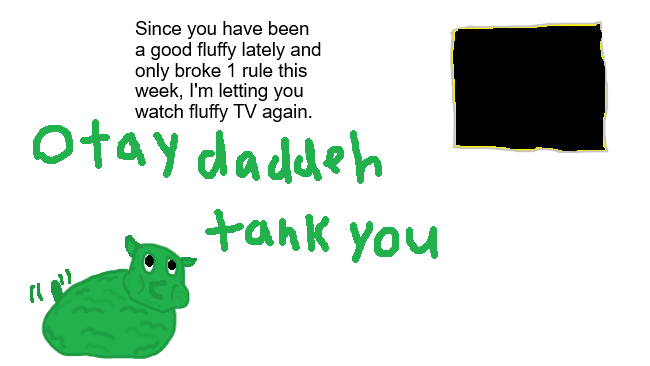
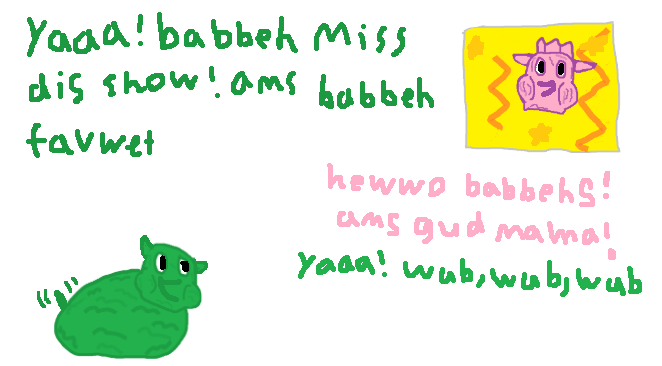
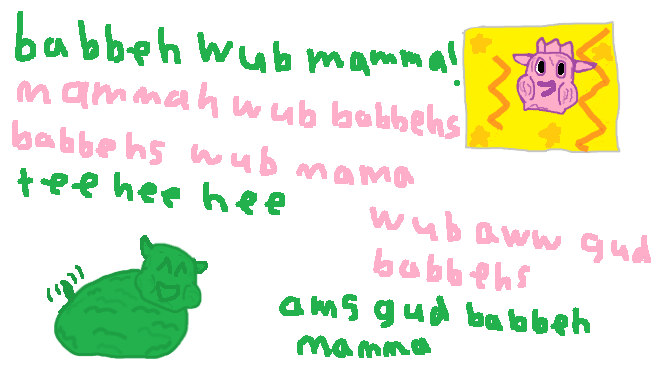
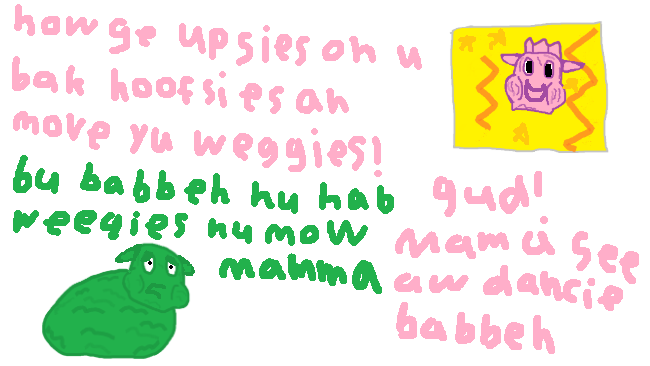
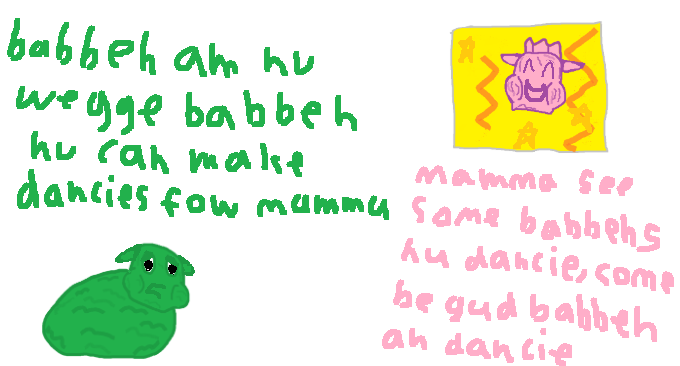
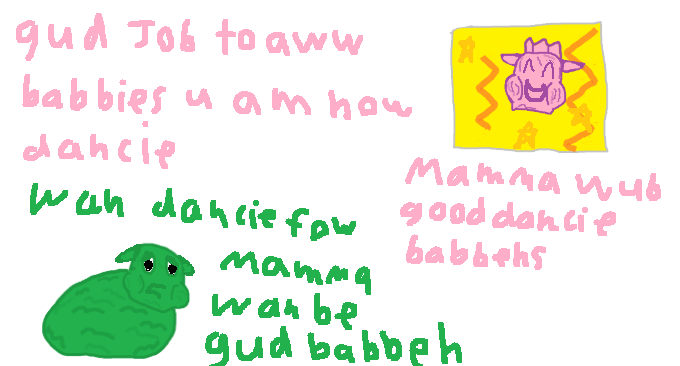
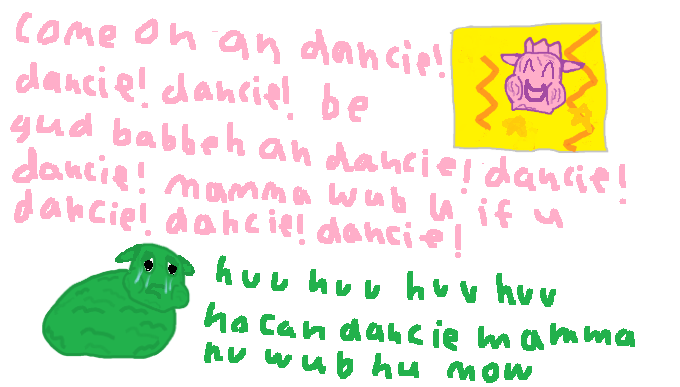
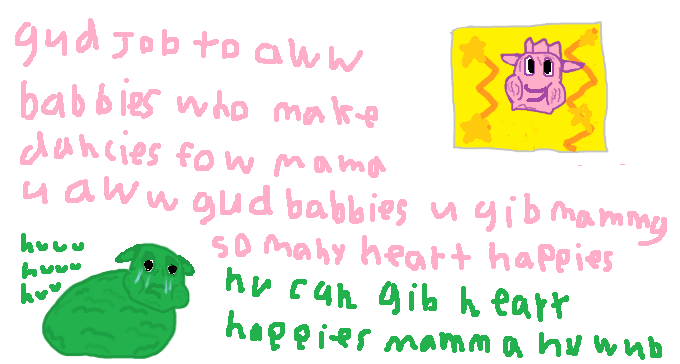
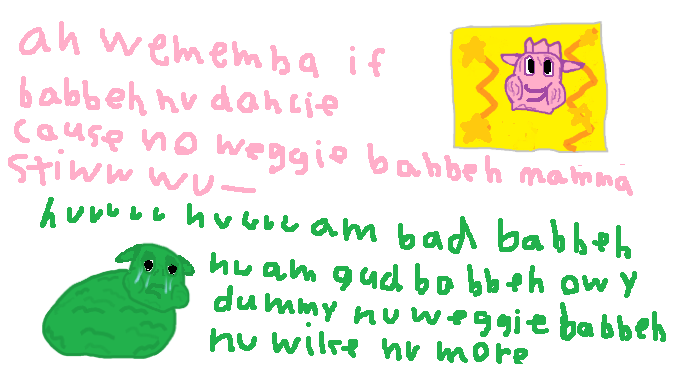
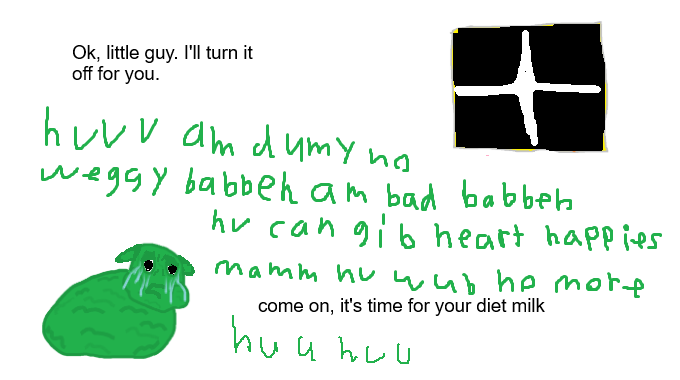
ok, latest attempt at making a fluffy. Hope you guys like it. I tried making the ears more dynamic, that was a pain in the ass. And I tried out Tykie’s suggestions with making the head a different shape and bigger. it took a few tries to find one I liked. I think the cheeks are a nice addition to the overall cute/ pathetic vibe I’m trying for. as always criticism welcomed
Looking better and better. What might help too is giving the mouth a bit of definition to convey emotion even easier. You can see it obviously but it’s a bit faint because they’re both dark colors
Honestly, this is friggin great. The TV shutting off just as Mama’s about to reassure the pillow babies is hilarious. The new head shape gives you a lot more to work with!
Daww almost made me blush calling me out specifically.
Im glad i was able to help you take another step towards improvement.
The face shape is adorable and pathetic.
One thing you could try now that you got cheek definitive is having the cheeks deflate when distraut or “defeated” sorta like how you see human faces on cartoon get a bit sunken.
Id agree, black outline around the fluff if thats the style you are going for.
But having multiple tones on the fluff now it makes it harder to see expressions in the same color. You could try a two tone style where under layer is blaxk and upper layer is thr darker color of the fluff, on things like lips and brows.
(it helps to offset the two colors both horizontal and vertical, sorta a diagonal offset. when you draw the upper layer over the under layer)
Not being an artist my advice for specifics will be lacking there.
Another thing you could try to make “swaying” of the fluffy Obvious perhaps some motion lines to show movement when he sways side to side.
0-0 ya, imma need an art tutorial for all of that. And I’m still using Ms paint instead of a proper art program for reasons too stupid to explain. If you really want to know it’ll be easier to take a screenshot of the problem. So getting the effects of layers is going to be inherently difficult. But I’ll see how I feel about implementing various things and making the expressions easier to see.
Looking good! I agree with what others are saying about adding more contrast/definition so I won’t go into that. Instead I’ll suggest adding a little more detail to the fluffies face to really push the expressions. Like when the mouth is open you’d probably be able to see some teeth, or maybe its tongue depending on what face it’s making. Even just a line of white to really show that the mouth is open would help a lot. And eyebrows! Some little lines to help show happy vs sad would go a long way.